



What's

Mar 20. 2026
Exploring TikTok’s Virtual Compute Environment (VCE): How It Should Work
In our previous blogs, first, we described how we applied for TikTok research API, and then how (after rejections, appeals, and exhausting communication with TikTok support), we finally received a data access, however, only to the Virtual Compute Environment (VCE) instead of requested research API.
In two follow-up blogs, we will describe what the VCE can offer and critically assess its functions and limitations.
By TikTok itself its Virtual Compute Environment (VCE) is claimed to be a secure, cloud-based platform that enables approved researchers and developers to query and analyze public TikTok data. This blog post explains how to use TikTok’s VCE, with practical examples and insights to help you get started.
1. Accessing the VCE
Approval and Credentials
To use the VCE, you must first be approved by TikTok. Be aware this process can take a long time as it also happened in our case. Once approved, you’ll receive a Client Key and Client Secret, which are essential for authentication. Keep these credentials secure.
Login Process
- Navigate to the VCE login page.
- Use your Client Key as the username and Client Secret as the password.
- After logging in, click the Launch Server button to create a new session and set up your virtual workspace.
2. Setting Up Your Environment
Installing the Query SDK
After logging in and launching a new server you find yourself in a Jupyter notebook-like environment. This might confuse researchers and users that are not used to such a setup. All you have to do is to choose Python Kernel (default option is safe one here).
Next step you need to do is to open a terminal and run the following command to install the required SDK:
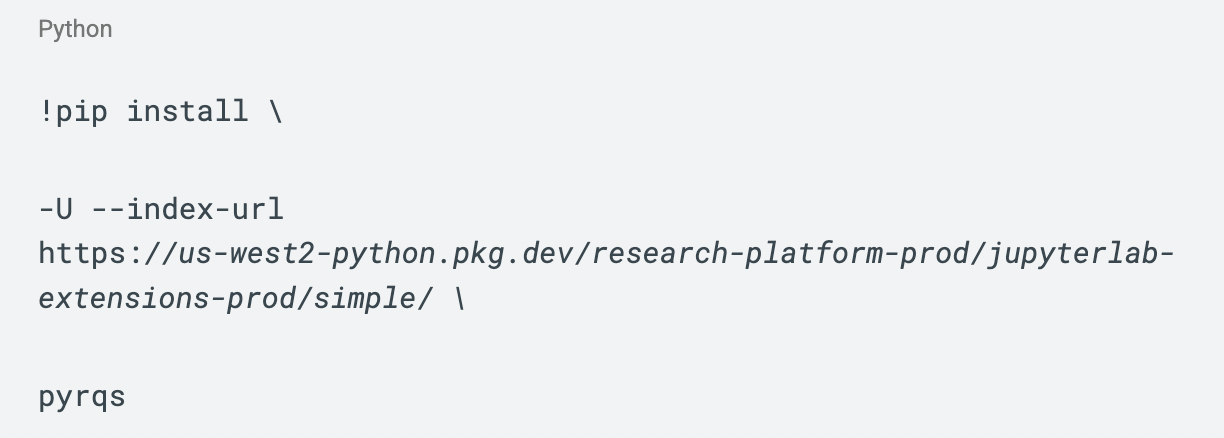
This step is crucial for interacting with TikTok’s data and one can only wonder why it is not pre installed by default. You are good to write some Python code and find out what TikTok’s VCE has to offer.
3. Querying Data in the Test Stage
The first step in exploring TikTok’s VCE capabilities is through the Test Stage. This stage is designed to give users a hands-on experience with the platform’s data structure, though the results provided are purely illustrative—meaning they don’t reflect real-world value. During this phase, you can interact with the system to understand how data is organized and what kind of insights you might expect.
However, the Test Stage comes with certain limitations. Users are restricted to accessing up to 5,000 records per day, and this access is only available for creators who have at least 25,000 followers. Additionally, the data returned is a random sample based on your query, rather than a comprehensive dataset.
To construct a query, you’ll need to understand a few key components. The category specifies the type of data you’re interested in, whether it’s videos, users, or comments. Condition groups allow you to define filters, such as retrieving videos with a minimum of 10 likes. The fields parameter lets you specify which data attributes you want to include in your results, while the limit parameter sets the maximum number of records you’d like to retrieve.
A variety of fields are available for filtering, including metadata like create_time, display_name, region_code, and id, as well as engagement metrics such as video_description, hashtag_name, music_id, like_count, comment_count, share_count, and view_count. You can refine your queries further using operations like IN, EQ, GT, GTE, LT, LTE, LIKE, and CONTAINS, combined with boolean operators such as AND, OR, and NOT to create more complex and targeted searches.
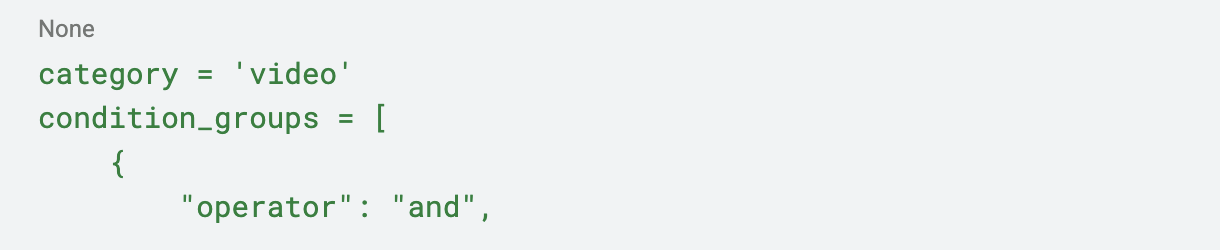
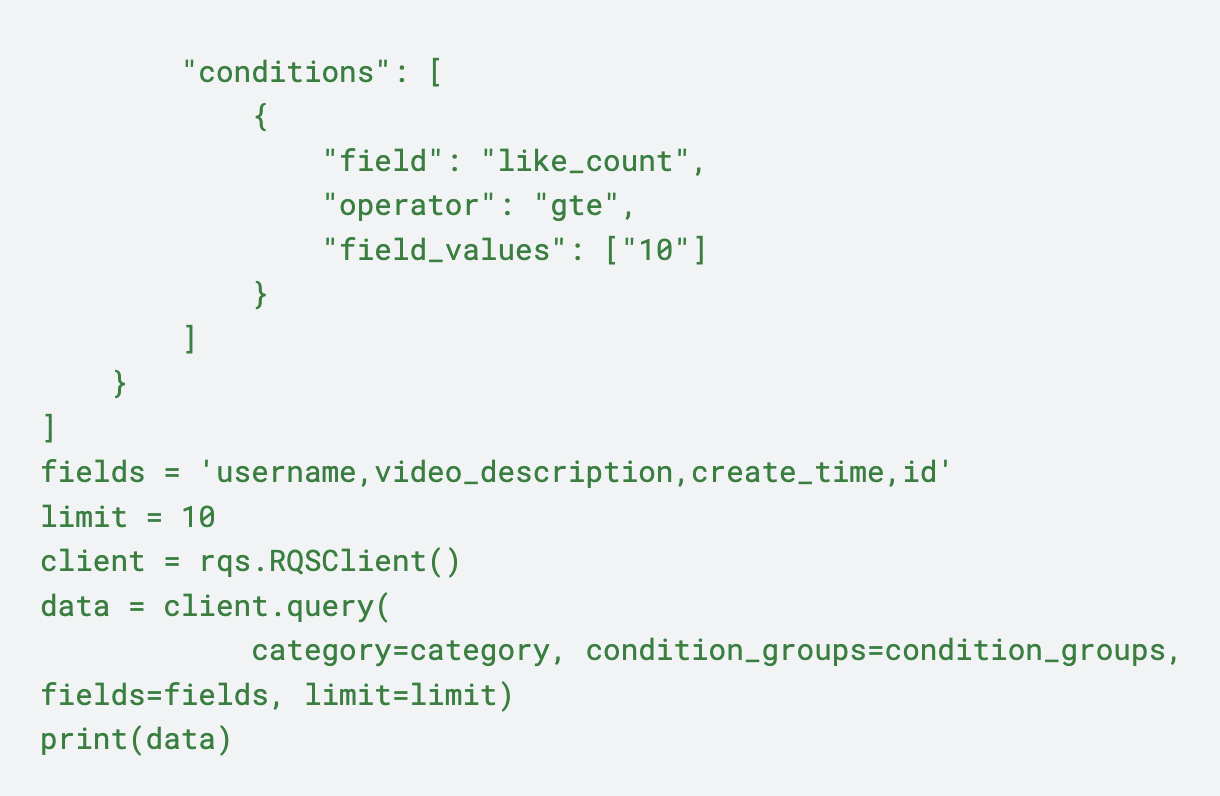
Once your query is tested and the structure of results is meeting your expectations you can proceed to the Execution Stage.
5. Execution Stage: Analyzing All Public Data
The Execution stage provides one major advantage against the Test stage, your query is run against all public TikTok data. But there is one major disadvantage as well, output has to be aggregated. This can be:
- Descriptive statistics (mean, standard deviation)
- Inferential statistics (Z-scores, regression coefficients)
- Topic model results or word clouds
Once you submit your script TikTok starts a review. If no individual-level data is included and other criteria are met as well approved results are sent as a downloadable link to the primary researcher’s email:

6. Conclusion
TikTok’s Virtual Compute Environment (VCE) offers a structured way to analyze public data, but it comes with notable limitations. Access is restricted to approved users only, with a lengthy and unclear approval process. The Test Stage provides limited, non-real-world data, capped at 5,000 records per day and only for creators with 25,000+ followers. Queries return random samples, not comprehensive datasets. In the Execution Stage, while full public data is accessible, results must be aggregated, excluding individual-level data and requiring manual review by TikTok. Additionally, the platform’s setup is not user-friendly, requiring manual SDK installation and technical familiarity, which may deter less experienced researchers.
The content of this blog was created as a part of research funded by the EU NextGenerationEU through the Recovery and Resilience Plan for Slovakia under the project No. 09I03-03-V03-00020.


